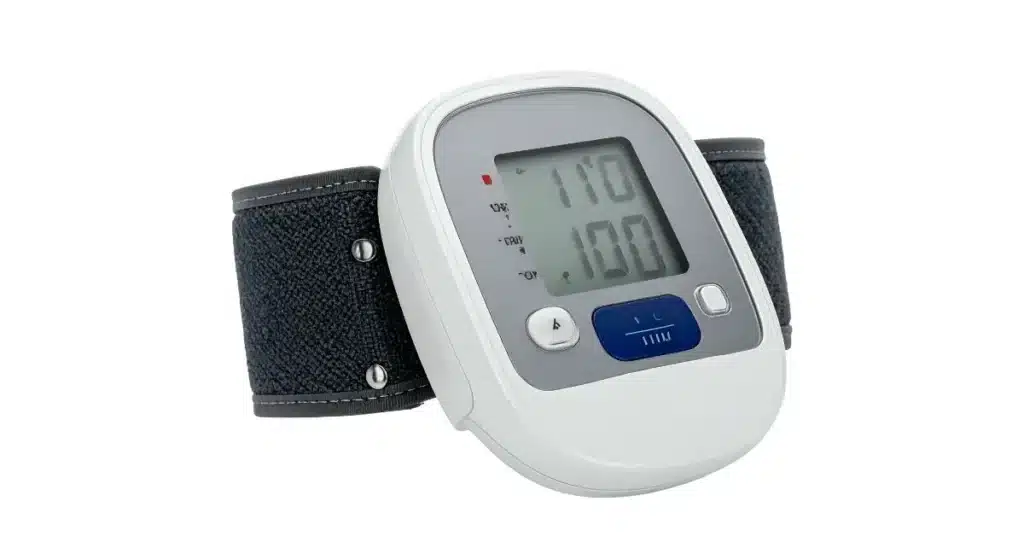
You’ve taken a proactive step for your health by investing in an Omron blood pressure monitor. It’s there on your desk or nightstand, a quiet sentinel of your well-being. But then, a nagging thought creeps in: “Can I really trust this number?”
It’s a common worry. You might get a reading that seems too high or too low, or you’ve noticed a slight drift in the numbers over time. When your health decisions hinge on this data, accuracy is everything. This leads to one crucial question: how to calibrate blood pressure monitor Omron devices for peace of mind?
The truth is, ensuring your monitor is accurate isn’t as simple as twisting a screwdriver. It involves a specific process of verification and, if needed, professional service. This comprehensive guide will walk you through everything you need to know, from simple at-home checks to understanding professional calibration. Let’s demystify the process and ensure you can trust the numbers you see.
What Does “Calibrate” Actually Mean?

Before we dive in, let’s clear up a common misunderstanding. In the world of medical devices, “calibration” doesn’t mean you can adjust the device yourself with a tiny tool.
Calibration is the process of comparing your device’s readings to a known, highly accurate standard. Think of it like checking your kitchen scales with a 1kg weight. If the scales say 1.2kg, you know they are off, but you wouldn’t open them up to fix it—you’d either adjust your expectations or get them professionally serviced.
Similarly, learning how to calibrate a blood pressure monitor Omron style is really about learning how to verify its accuracy and then take the correct steps if it’s found to be inaccurate.
Why Calibration is a Big Deal for Your Health
Your Omron monitor is a precision instrument, but like any device, it can drift over time. Factors like normal wear and tear, accidental bumps, or even changes in temperature can affect its sensitivity.
Relying on an inaccurate monitor can have real consequences:
-
False Alarm: A reading that’s consistently too high can cause unnecessary stress and anxiety, potentially leading to extra doctor’s visits.
-
False Reassurance: A reading that’s consistently too low might make you think your blood pressure is under control when it’s not. This could mean missing warning signs that require a lifestyle change or medical attention.
For instance, if you’re using your monitor to track the effects of the best exercises for lowering blood pressure, inaccurate data will make it impossible to know if your efforts are paying off. Similarly, if you’re monitoring a specific condition, knowing your true numbers is critical.
Your First Step: The Simple At-Home Accuracy Check
Before you even think about sending your device away, there’s a powerful and simple check you can do at home. This is the first and most important step in our guide on how to calibrate blood pressure monitor Omron devices.
What You’ll Need:
-
Your Omron blood pressure monitor.
-
A second blood pressure monitor (or a manual reading from a friend/family member who is trained).
-
A pen and paper to record readings.
The Step-by-Step Comparison Check

-
Prepare Yourself: Sit quietly in a chair with your back supported and feet flat on the floor for at least 5 minutes. Avoid caffeine, exercise, and smoking for 30 minutes beforehand.
-
Set Up the Monitors: Place both monitors within easy reach.
-
Take the First Reading: Use your Omron monitor to take a blood pressure reading. Record both the systolic (top number) and diastolic (bottom number), along with your pulse.
-
Rest and Reset: Wait for 1-2 minutes to allow your circulation to return to normal. It’s crucial not to take readings back-to-back on the same arm, as this can give a false high reading.
-
Take the Second Reading: Now, use the second monitor (or have your trained companion take a manual reading) on the same arm. Record these numbers as well.
-
Compare the Results: Look at the two sets of numbers. A small difference is normal. The American Heart Association states that a variation of a few points is acceptable.
What Counts as a Significant Difference?
If the readings from your Omron monitor and the reference device are consistently different by more than 10 mmHg (points) for either the systolic or diastolic number, it may be a sign that your Omron unit needs professional attention.
Real-Life Example: Sarah took her reading with her Omron monitor: 145/92. She then immediately had her practice nurse husband take a manual reading: 132/88. The difference is 13 points in the systolic reading. This significant gap told Sarah it was time to look into professional verification.
The Professional Calibration Process: What Really Happens
So, your at-home check suggests your monitor might be off. Now what? This is where true, professional calibration comes in.
It’s important to know that you cannot calibrate an Omron monitor yourself. There are no user-serviceable parts inside, and attempting to open the device will void the warranty.
How Omron Professionals Calibrate Your Device
When you send your Omron monitor for service, trained technicians use specialized equipment that is traceable to international standards. Here’s a simplified version of what they do:
-
Connection to a Simulator: Your monitor is connected to a machine that simulates human blood pressure with extreme precision.
-
Reading Comparison: The simulator creates a series of known, exact pressures (e.g., 120/80 mmHg, 150/95 mmHg).
-
Adjustment: The technician then sees what your Omron device reads at these known pressures. If it’s off, they can make internal electronic adjustments to bring it back into alignment.
-
Certification: Once adjusted, the device is tested across its entire range to ensure it meets Omron’s strict accuracy standards before it’s returned to you.
A Step-by-Step Guide to Getting Your Omron Monitor Professionally Checked

If you’ve determined your monitor needs professional service, here is your action plan.
Step 1: Check Your Warranty
First, visit the official Omron website or check your user manual to see if your device is still under warranty. Omron monitors typically come with a 2-5 year warranty. If it’s within the warranty period, the calibration service is often free or available at a significantly reduced cost.
Step 2: Contact Omron Support
Reach out to Omron Healthcare’s customer service. You can find the contact information on their official website.
Explain that you have performed a comparison test and have concerns about the accuracy of your device. They will guide you through the process of sending it in for evaluation.
Step 3: Pack and Send Your Device
You will likely need to send in:
-
The blood pressure monitor unit (without the cuff, in most cases).
-
The AC adapter (if your model has one).
-
A copy of your proof of purchase.
They will provide you with a returns number and shipping instructions.
Step 4: Understand the Service
The service centre will evaluate your device. If it’s out of calibration, they will adjust it. If it’s beyond repair or doesn’t meet specifications, they may offer a replacement.
Proactive Care: How to Maintain Accuracy and Avoid Calibration Issues

The best way to deal with calibration is to avoid needing it prematurely. Proper care can keep your Omron monitor accurate for years.
1. Handle with Care
Avoid dropping your monitor or exposing it to extreme temperatures, high humidity, or direct sunlight. Treat it as the sensitive electronic device it is.
2. Check Your Cuff
The cuff is the most common source of inaccurate readings! Ensure you are using the correct size cuff for your arm. An ill-fitting cuff is a leading cause of error. Our blood pressure average calculator page has a guide on how to choose and position a cuff correctly.
3. Replace the Batteries
Low batteries can cause erratic readings and motor strain. If your readings seem “off,” try replacing the batteries with a fresh, high-quality set before doing anything else.
4. Know When to Upgrade
Blood pressure monitors don’t last forever. If your device is very old, has been dropped multiple times, or consistently gives questionable readings even after a battery change, it might be more cost-effective to replace it with a new model that has the latest technology.
Connecting the Dots: Why Accurate Monitoring Matters for Overall Health
Having a perfectly calibrated monitor is pointless if you don’t understand the numbers or the context of your health.
-
Track Your Trends: Use a notebook or an app to log your readings. This helps you and your doctor see patterns over time, which is more valuable than any single reading. You can use our blood pressure average calculator to help make sense of your weekly or monthly trends.
-
Understand the Symptoms: Accurate monitoring helps you correlate how you feel with your blood pressure. For example, if you’re experiencing visual disturbances, knowing your true BP is crucial when investigating questions like, can high blood pressure cause flashing lights in your eyes.
-
Prepare for Life Events: If you have high blood pressure and are planning a trip, knowing your accurate baseline is part of understanding can you fly with high blood pressure safely.
Your Action Plan for Confidence
Wondering if your monitor is accurate doesn’t have to be a source of anxiety. You now have a clear path forward:
-
Perform the simple at-home comparison check.
-
If the numbers are significantly different, contact Omron support.
-
While waiting for service, practice good monitor maintenance.
-
Use your accurate readings to actively manage your health, including following a healthy lifestyle with resources like our guide on the best exercises for lowering blood pressure.
Your Omron monitor is a powerful tool. By taking these steps to verify and maintain its accuracy, you transform it from a source of doubt into a pillar of your health confidence.
We’re Here to Help!
Have you ever compared your home monitor to a reading at the doctor’s office? What was your experience? Do you have any other tips for maintaining your device? Share your stories and questions in the comments below—your insight could help a fellow reader! If you found this guide useful, please share it with anyone who relies on a home blood pressure monitor.